
User Interface Design – UI Toolkit
(5 customer reviews)A focused collection of 67 professional design templates and tools designed to support UI design, screens, components, states, responsive layouts, visual standards, assets, specifications, redlines, consistency, reviews, and handover.
- Comprehensive Coverage – Design strategy, user research, UX, UI, interaction, service, industrial, graphic, packaging, content, prototyping, testing, systems, accessibility, operations, quality, CAD, visualization, and asset management.
- Professional Quality – Practical governance frameworks, procedures, design briefs, registers, specifications, review tools, scorecards, dashboards, and implementation guides.
- Fully Editable – Customize every Word, Excel, PowerPoint, PDF reference, FIG library, DWG drawing, and STEP model reference for your organization and design workflow.
- Instant Download – Receive digital access after confirmed payment.
- Save Time & Cost – Accelerate design governance, discovery, delivery, review, handover, accessibility, quality assurance, and continuous improvement.
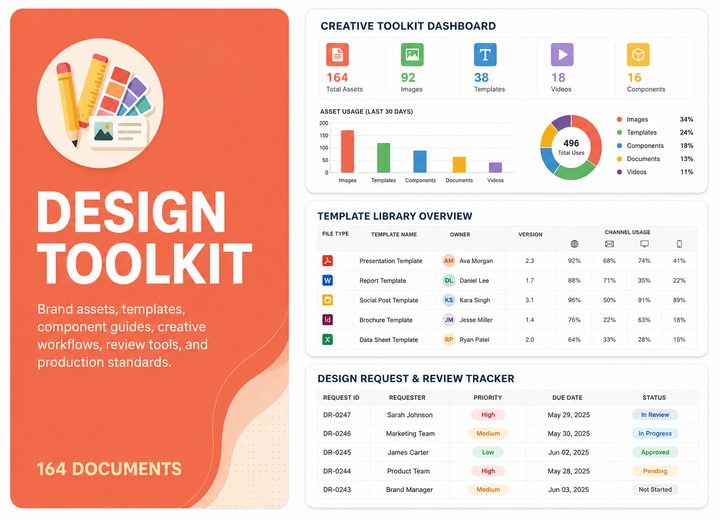
User Interface Design – UI Toolkit
The User Interface Design – UI Toolkit is a focused, editable documentation package designed to help organizations establish, operate, govern, measure, and continually improve user interface design – ui practices.
The toolkit combines coordinated policies, procedures, standards, plans, registers, briefs, specifications, checklists, dashboards, reports, training resources, and implementation guides covering UI design, screens, components, states, responsive layouts, visual standards, assets, specifications, redlines, consistency, reviews, and handover.
Who This User Interface Design – UI Toolkit Is For
This toolkit is suitable for organizations that require structured, accessible, measurable, scalable, and well-governed practices for user interface design – ui.
- Chief Design Officers and Design Directors
- UX, UI, Interaction, Service, Industrial, Graphic, Packaging, and Content Designers
- User Researchers, Usability Specialists, and Accessibility Leads
- Design Operations, Design System, and Design Quality Managers
- Product Managers, Product Owners, Engineering Leads, and Digital Transformation Teams
- CAD, 3D Modelling, Visualization, and Design Asset Management Teams
- Consultants, auditors, and organizations building or improving enterprise design capabilities
Why Choose These User Interface Design – UI Templates
The User Interface Design – UI Toolkit helps organizations standardize design workflows, strengthen governance, improve research and design quality, enhance accessibility and review controls, monitor performance, and accelerate implementation across user interface design – ui.
Toolkit Document Index
Below is the complete structured index of 67 files in 1 folder. The section is open by default and contains 12 DOCX, 49 XLSX, 4 PPTX, and 2 PDF resources.
 User Interface Design – UI
 User Interface Design Organization Chart.docx User Interface Design Function Charter.docx User Interface Design Policy.docx User Interface Design Governance Framework.docx
 User Interface Design Roles and Responsibilities Matrix.xlsx User Interface Design RACI Matrix.xlsx User Interface Design Approval Matrix.xlsx User Interface Design Objectives and Targets.xlsx User Interface Design KPI Framework.xlsx User Interface Design Risk Register.xlsx User Interface Design Issue Register.xlsx User Interface Design Decision Register.xlsx User Interface Design Action Tracker.xlsx User Interface Design Annual Plan.xlsx User Interface Design Budget Tracker.xlsx User Interface Design Resource Plan.xlsx User Interface Design Competency Matrix.xlsx User Interface Design Training Matrix.xlsx User Interface Design Management Checklist.xlsx User Interface Design Self-Assessment.xlsx User Interface Design Dashboard.xlsx
 User Interface Design Training Slides.pptx User Interface Design Improvement Tracker.xlsx User Interface Design Implementation Guide.docx UI Design Procedure.docx
 Visual Interface Standard.pdf Responsive Design Procedure.docx UI Design Review Procedure.docx UI Project Register.xlsx UI Screen Register.xlsx UI Component Register.xlsx UI State Register.xlsx UI Pattern Register.xlsx UI Asset Register.xlsx UI Decision Register.xlsx UI Issue Register.xlsx UI Design Brief.docx UI Screen Template.pptx Responsive Layout Guide.pdf UI Specification.docx UI Redline Template.pptx UI Handover Package.docx UI Consistency Checklist.xlsx Responsive Design Checklist.xlsx UI Design Review Checklist.xlsx UI Handover Checklist.xlsx Daily UI Design Log.xlsx Daily UI Screen Update.xlsx Daily UI Asset Log.xlsx Daily UI Issue Log.xlsx Daily UI Action Tracker.xlsx Weekly UI Design Review.xlsx Weekly UI Component Review.xlsx Weekly UI Consistency Review.xlsx Weekly UI Issue Review.xlsx Monthly UI Design KPI Dashboard.xlsx Monthly UI Project Report.xlsx Monthly UI Component Report.xlsx Monthly UI Consistency Report.xlsx Monthly UI Issue Report.xlsx Monthly UI Design Review Pack.pptx Annual UI Design Plan.xlsx Annual UI Standard Review.xlsx Annual UI Design Process Review.docx UI Design Internal Audit Checklist.xlsx UI Design Maturity Assessment.xlsx UI Design Improvement Plan.xlsx
Frequently Asked Questions - User Interface Design – UI Toolkit
1. What is included in the User Interface Design – UI Toolkit?
The package contains 67 resources in one folder, covering UI design, screens, components, states, responsive layouts, visual standards, assets, specifications, redlines, consistency, reviews, and handover.
2. Who is the User Interface Design – UI Toolkit designed for?
It is designed for design leaders, researchers, UX and UI teams, service and industrial designers, visual and content designers, accessibility specialists, design operations teams, CAD and visualization teams, asset managers, and consultants responsible for user interface design – ui.
3. Which file formats are included?
The toolkit includes 12 DOCX, 49 XLSX, 4 PPTX, and 2 PDF.
4. Can I review every document before purchasing?
Yes. The Toolkit Document Index lists every included file by operating frequency, document name, and format.
5. Are the templates fully editable?
Yes. DOCX, XLSX, PPTX, FIG, DWG, and STEP files can be customized using compatible software. PDF files are supporting reference resources.
6. Does the toolkit provide a structured framework for user interface design – ui?
Yes. It includes relevant policies, procedures, standards, plans, registers, briefs, specifications, checklists, dashboards, reports, training resources, and implementation guides.
7. Are daily working logs and control tools included?
Yes. The package includes practical logs, trackers, registers, approvals, checklists, exception controls, action trackers, and working documents.
8. Does the toolkit support governance and management oversight?
Yes. The resources help structure ownership, approvals, design standards, review controls, evidence, escalation, reporting, and follow-up actions.
9. Does the toolkit include dashboards and performance reports?
Yes. It includes KPI dashboards, project and quality reports, capability and issue analysis, review packs, and presentation materials.
10. Are daily, weekly, monthly, and annual tools included?
Yes. Daily logs, weekly reviews, monthly dashboards and reports, and annual or periodic plans, assessments, audits, and improvement tools are included where relevant.
11. Can the toolkit support design-process standardization?
Yes. The resources can support research, concept development, design delivery, prototyping, testing, accessibility, quality review, operations, technical design, and asset management.
12. Can the templates be used across different design disciplines?
Yes. They can be adapted for digital, service, industrial, physical product, visual, packaging, content, accessibility, CAD, 3D, and multidisciplinary design environments.
13. Does purchasing the toolkit replace legal, accessibility, regulatory, intellectual-property, engineering, or technical advice?
No. The toolkit provides a structured design-management baseline. Organizations should validate applicable laws, accessibility requirements, intellectual-property rights, standards, engineering constraints, and local requirements with qualified professionals.
14. How is the toolkit delivered?
After successful payment, the toolkit is provided as a digital download. Save the archive to your computer and retain your purchase reference.
15. What support is available after purchase?
Email support is available for download issues, file access, package structure, and general questions about editing and using the templates.