Omnichannel Customer Support Toolkit
(5 customer reviews)A focused collection of 67 professional customer service and experience templates and tools designed to support omnichannel support across phone, email, live chat, social media, channel transfers, routing, response templates, consistency, service levels, and cross-channel journeys.
- Comprehensive Coverage – Customer service strategy, contact centers, omnichannel support, onboarding, order and technical support, complaints, escalations, returns, field service, customer success, VOC, experience design, quality assurance, knowledge, workforce, retention, feedback, analytics, and self-service.
- Professional Quality – Practical governance frameworks, procedures, scripts, journey maps, service controls, registers, scorecards, dashboards, playbooks, and implementation guides.
- Fully Editable – Customize every Word, Excel, and PowerPoint file for your channels, customer segments, service levels, teams, products, technologies, risks, and local requirements.
- Instant Download – Receive digital access after confirmed payment.
- Save Time & Cost – Accelerate service standardization, customer journey improvement, quality control, performance reporting, and continual improvement.
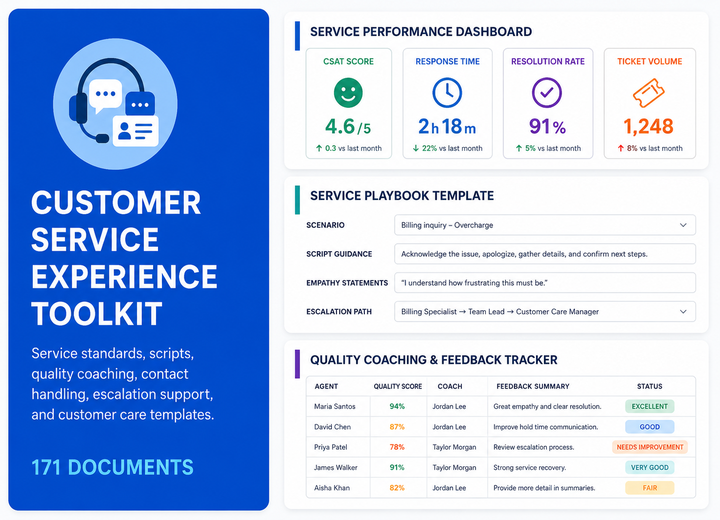
Omnichannel Customer Support Toolkit
The Omnichannel Customer Support Toolkit is a focused, editable documentation package designed to help organizations establish, operate, control, measure, and continually improve omnichannel customer support practices.
The toolkit combines coordinated policies, procedures, registers, scripts, forms, plans, checklists, dashboards, reports, training resources, competency tools, and implementation guides covering omnichannel support across phone, email, live chat, social media, channel transfers, routing, response templates, consistency, service levels, and cross-channel journeys.
Who This Omnichannel Customer Support Toolkit Is For
This toolkit is suitable for organizations that require consistent, customer-focused, measurable, scalable, and well-governed practices for omnichannel customer support.
- Customer service and customer experience directors
- Contact center and omnichannel operations managers
- Customer success, onboarding, and retention leaders
- Complaint, escalation, returns, and warranty teams
- Product support, technical support, and field service managers
- Voice of Customer and customer insight professionals
- Customer journey, service design, and experience improvement teams
- Service quality assurance and coaching teams
- Knowledge management and self-service portal owners
- Workforce management, analytics, and service transformation consultants
Why Choose These Omnichannel Customer Support Templates
The Omnichannel Customer Support Toolkit helps organizations standardize customer-service processes, strengthen customer governance, improve journey and resolution quality, enhance channel visibility, monitor service performance, and accelerate implementation across omnichannel customer support.
Toolkit Document Index
Below is the complete structured index of 67 files in 1 folder. The section is open by default and contains 17 DOCX, 48 XLSX, and 2 PPTX resources.
 Omnichannel Customer Support
 Omnichannel Customer Support Organization Chart.docx Omnichannel Customer Support Function Charter.docx Omnichannel Customer Support Policy.docx Omnichannel Customer Support Governance Framework.docx
 Omnichannel Customer Support Roles and Responsibilities Matrix.xlsx Omnichannel Customer Support RACI Matrix.xlsx Omnichannel Customer Support Approval Matrix.xlsx Omnichannel Customer Support Objectives and Targets.xlsx Omnichannel Customer Support KPI Framework.xlsx Omnichannel Customer Support Risk Register.xlsx Omnichannel Customer Support Issue Register.xlsx Omnichannel Customer Support Decision Register.xlsx Omnichannel Customer Support Action Tracker.xlsx Omnichannel Customer Support Annual Plan.xlsx Omnichannel Customer Support Budget Tracker.xlsx Omnichannel Customer Support Resource Plan.xlsx Omnichannel Customer Support Competency Matrix.xlsx Omnichannel Customer Support Training Matrix.xlsx Omnichannel Customer Support Management Checklist.xlsx Omnichannel Customer Support Self-Assessment.xlsx Omnichannel Customer Support Dashboard.xlsx
 Omnichannel Customer Support Training Slides.pptx Omnichannel Customer Support Improvement Tracker.xlsx Omnichannel Customer Support Implementation Guide.docx Omnichannel Support Procedure.docx Phone Support Procedure.docx Email Support Procedure.docx Live Chat Support Procedure.docx Social Media Support Procedure.docx Channel Transfer Procedure.docx Support Channel Register.xlsx Channel Contact Reason Register.xlsx Channel Routing Register.xlsx Channel Response Template Register.xlsx Channel Escalation Register.xlsx Cross-Channel Contact Register.xlsx Channel Service Level Register.xlsx Omnichannel Customer Profile Map.xlsx Email Response Template.docx Live Chat Script.docx Social Media Response Guide.docx Channel Handover Form.docx Omnichannel Support Checklist.xlsx Channel Consistency Checklist.xlsx Channel Response Quality Checklist.xlsx Omnichannel Support Work Instruction.docx Daily Omnichannel Support Log.xlsx Daily Email Support Log.xlsx Daily Live Chat Log.xlsx Daily Social Media Support Log.xlsx Daily Omnichannel Action Tracker.xlsx Weekly Omnichannel Support Review.xlsx Weekly Channel Performance Review.xlsx Weekly Cross-Channel Transfer Review.xlsx Weekly Channel Consistency Review.xlsx Monthly Omnichannel KPI Dashboard.xlsx Monthly Channel Volume Report.xlsx Monthly Channel Response Time Report.xlsx Monthly Channel Resolution Report.xlsx Monthly Cross-Channel Journey Report.xlsx Monthly Omnichannel Review Pack.pptx Annual Omnichannel Support Plan.xlsx Annual Support Channel Review.xlsx Annual Channel Service Level Review.docx Omnichannel Support Internal Audit Checklist.xlsx Omnichannel Support Maturity Assessment.xlsx Omnichannel Support Improvement Plan.xlsx
Frequently Asked Questions - Omnichannel Customer Support Toolkit
1. What is included in the Omnichannel Customer Support Toolkit?
The package contains 67 resources in one folder, covering omnichannel support across phone, email, live chat, social media, channel transfers, routing, response templates, consistency, service levels, and cross-channel journeys.
2. Who is the Omnichannel Customer Support Toolkit designed for?
It is designed for customer service and experience leaders, contact center managers, support teams, onboarding and success teams, quality and workforce specialists, VOC and feedback professionals, analysts, portal owners, and consultants responsible for omnichannel customer support.
3. Which file formats are included?
The toolkit includes 17 DOCX, 48 XLSX, and 2 PPTX.
4. Can I review every document before purchasing?
Yes. The Toolkit Document Index lists every included file by operating frequency, document name, and format.
5. Are the templates fully editable?
Yes. DOCX, XLSX, and PPTX files can be customized for your channels, customer segments, products, service levels, workflows, teams, technologies, KPIs, branding, and local requirements.
6. Does the toolkit provide a structured framework for omnichannel customer support?
Yes. It includes relevant policies, procedures, registers, scripts, forms, plans, checklists, dashboards, reports, training resources, competency tools, and implementation guides.
7. Are daily working logs and control tools included?
Yes. The package includes practical logs, trackers, registers, approvals, checklists, escalation controls, action trackers, and working documents.
8. Does the toolkit support governance and management oversight?
Yes. The resources help structure ownership, service levels, approval rules, escalation, evidence, customer communication, review, reporting, and follow-up actions.
9. Does the toolkit include dashboards and performance reports?
Yes. It includes KPI dashboards, service and quality reports, customer and channel reports, workload and productivity analysis, review packs, and presentation materials.
10. Are daily, weekly, monthly, and annual tools included?
Yes. Daily logs, weekly reviews, monthly dashboards and reports, and annual or periodic plans, assessments, audits, and improvement tools are included where relevant.
11. Can the toolkit support customer-service process standardization?
Yes. The resources can support consistent service handling, customer journeys, case controls, quality assurance, knowledge, workforce planning, analytics, and continual improvement.
12. Can the templates be used across different service models?
Yes. They can be adapted for contact centers, omnichannel support, field service, technical support, customer success, retail service, B2B service, self-service, and multi-site operations.
13. Does purchasing the toolkit replace legal, regulatory, privacy, consumer-protection, warranty, or technical advice?
No. The toolkit provides a structured customer-service baseline. Organizations should validate applicable laws, privacy rules, consumer rights, warranty obligations, contracts, safety requirements, and local requirements with qualified professionals.
14. How is the toolkit delivered?
After successful payment, the toolkit is provided as a digital download. Save the archive to your computer and retain your purchase reference.
15. What support is available after purchase?
Email support is available for download issues, file access, package structure, and general questions about editing and using the templates.